 sukhomlinov
Android phone and tablet
Work on remote machines from a tablet
SSH UI is an SSH client built around what developers actually do over SSH: run a terminal, read and edit files, and keep keys safe. It is designed for tablets and large screens first, and it works on a phone. It stays out of the way when a coding agent is doing the typing.
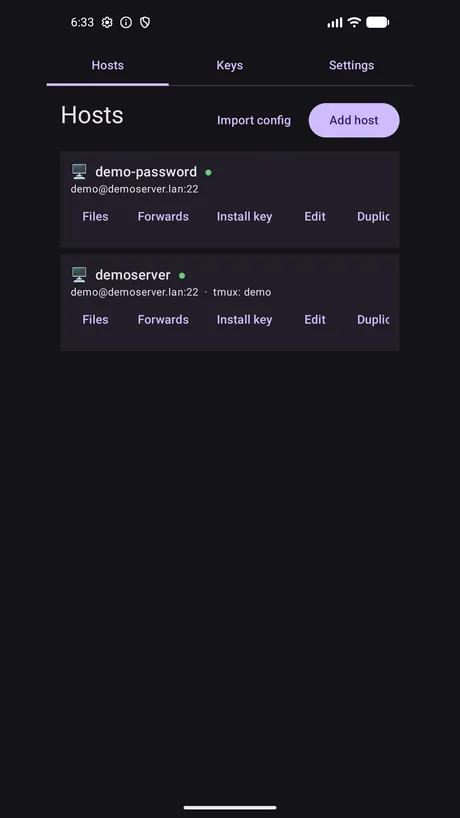
Terminal
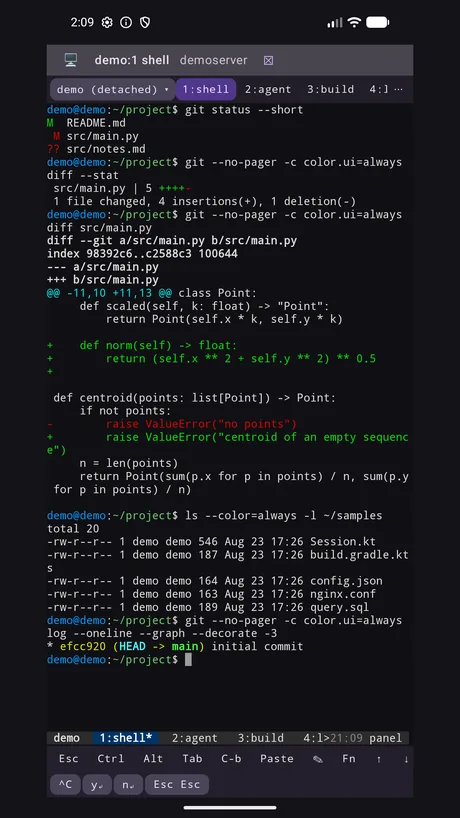
A terminal you can actually drive with a finger, on a screen big enough to read a diff on.
Accurate emulation
- True colour, 256 colours and underline styles
- Scrollback you select with a finger or a stylus
- Kitty keyboard protocol, so modern terminal apps get the key events they expect
No external keyboard needed
- Configurable key rows put Esc, Tab, Ctrl, Alt, arrows and function keys under your thumbs
- Wide layouts add Home, End, PgUp, PgDn, Ins and Del
Prompt composer
Write a long instruction in the full Android keyboard - dictation included - then send it as a single bracketed paste. Built for the moment an AI agent is waiting on you.
Share into the app
Share text or files from anywhere in Android. Files upload over SFTP and paste as a remote path.
Files, editing and diffs
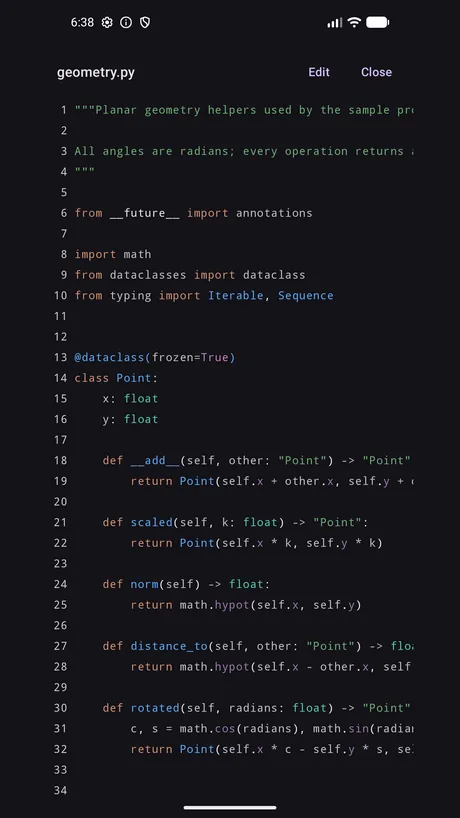
A real editor over SFTP, not a text box bolted onto a terminal.
Browse and edit
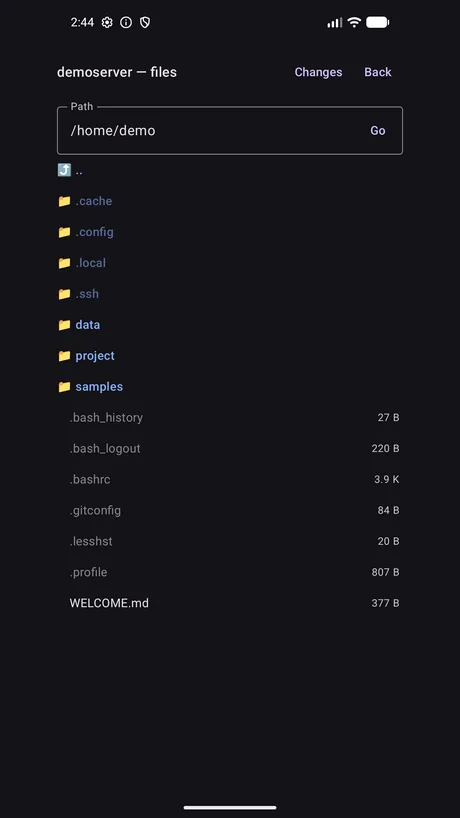
- Browse the remote filesystem over SFTP
- View and edit remote files with tree-sitter highlighting across 14 languages
- Tap a file hyperlink in command output to open that file straight in the editor
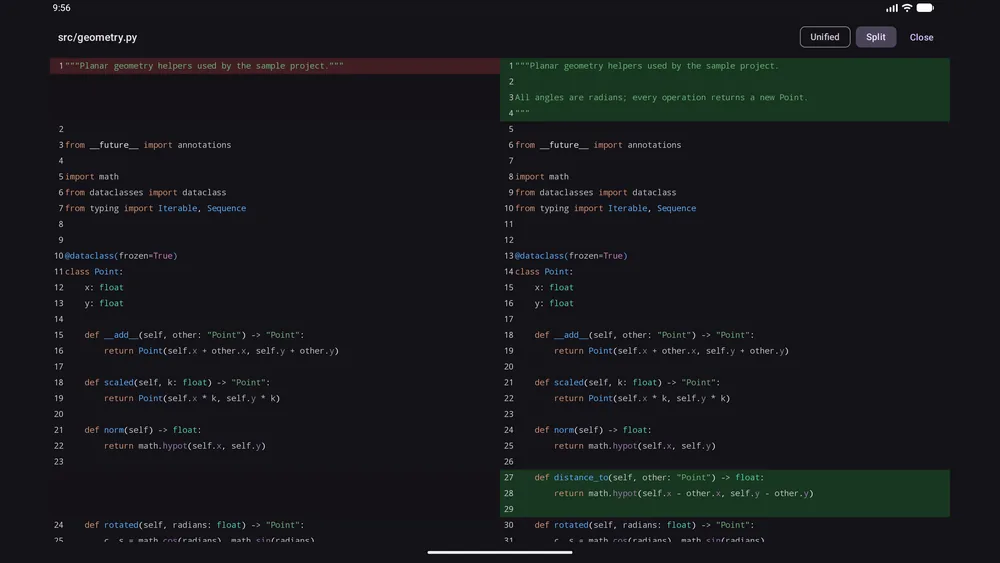
See what changed
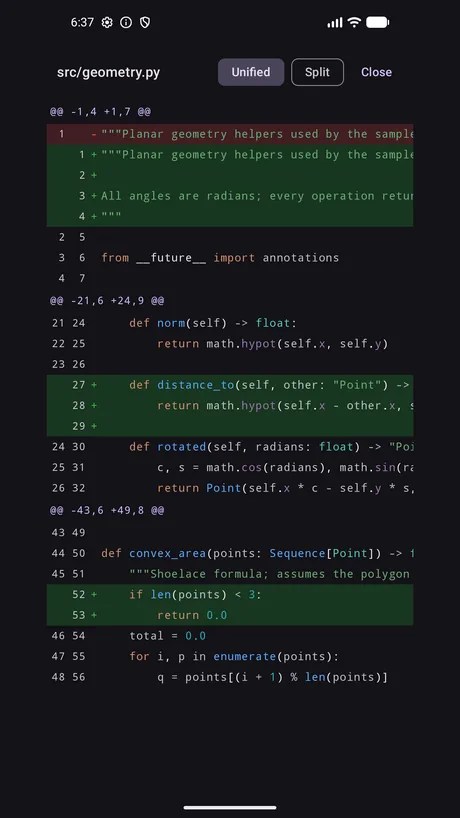
- Inline and side-by-side diffs, with highlighting inside the diff
- A Changes screen that reads
git status, so you see what you are about to commit
Saves that do not lose work
Writes go to a temporary file and rename, and refuse to overwrite when the file changed underneath you.
Keys and security
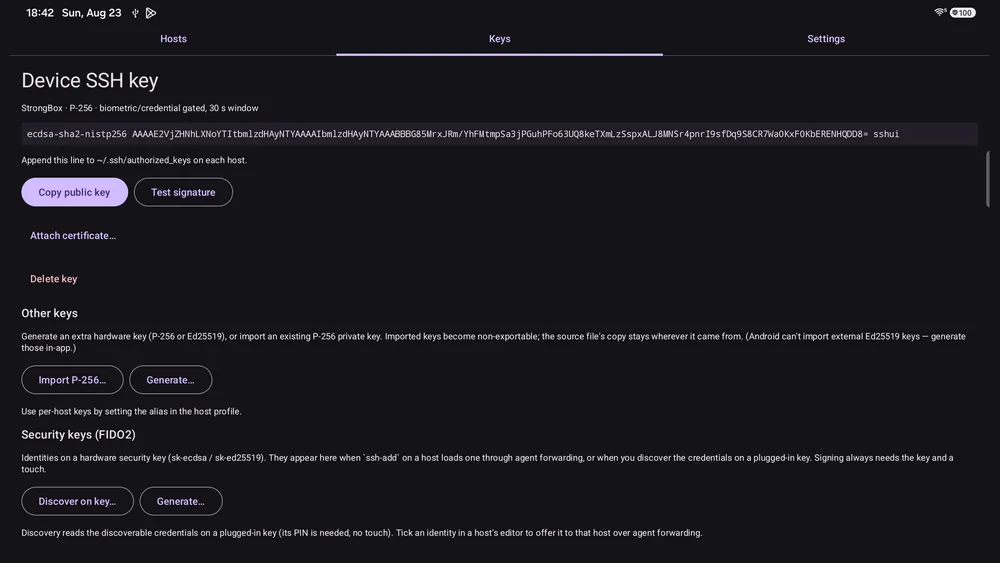
The private key is generated in hardware and never leaves it. That is not a setting; it is how the app stores keys.
Hardware-backed keys
Keys are generated inside Android's keystore - StrongBox or the TEE where the device provides one - and are non-exportable. The app cannot read your private key material, and neither can anything that copies the app's data.
Gated on use
- Optional biometric or screen-lock confirmation on every use of a key
- Ed25519 and NIST P-256 keys, plus import for an existing P-256 key
Security keys over USB
FIDO2 with sk-ecdsa and sk-ed25519, touch to sign, plus enrolment and
on-key certificate storage.
Host keys are pinned
A mismatch fails the connection. There is no button to continue anyway.
Certificates and 2FA
- SSH user certificates and certificate-authority host trust
- Keyboard-interactive authentication for one-time passwords and two-factor prompts
- Password login per host, asked each connect and never stored
Agent forwarding
A nested login on the remote host can use a key that never leaves your device.
tmux, containers and transcripts
tmux windows as tabs
- Switch, create and close windows without typing a prefix
- Control mode where available, so the strip reflects changes as they happen
- Notifies you when a background window rings a bell, goes active or falls silent
Containers
Docker and Podman containers on the host appear alongside your tmux windows. Tap one to open a shell inside it; long-press for logs, or to start and stop it.
Transcripts
Export a session as styled HTML or fenced Markdown, colours intact.
Networking
Forwarding
Local, remote and dynamic SOCKS5 port forwarding, and ProxyJump chains through bastion hosts.
Bring your config
Import hosts from an existing ssh_config file.
Survives the real world
Sessions survive the screen turning off and re-establish themselves when the network changes.
SSH UI is a client, and does not include a server
You will need an account on a machine running an SSH server for it to be useful. No accounts, no sign-up, no ads, no analytics, no tracking - and I operate no servers, so I receive no data of any kind. Host profiles and keys stay on your device. See the privacy policy for the detail.